
ontool @ onway
The third part of our blog series “Smart Networks. Automated. Real-World Stories.” is online! In the new video, our Systems Engineer Luca Gubler shows how we use the ontool to bundle individual scripts into a shared CLI, avoid duplicate code and onboard new customers with a single command.
ontool @ onway
ontool @ onway - Smart networks. Automated. From the field. (3/3)
At onway, we have consolidated scattered scripts for NetBox, Observium and network configuration generation into ontool, a shared CLI for recurring engineering tasks. A central configuration, uniform access to more than 40 NetBox data types and a clear separation between the command-line interface and the domain logic mean that new functions can be added without restructuring. ontool get commands shows the current set of commands at any time. The result is less duplicated code, centralised maintenance and an easier start for new team members.
A shared CLI for recurring engineering tasks
How individual scripts became a structured, extensible platform.
In a network and infrastructure team, small scripts are written all the time. Someone quickly needs a list of duplicate IP addresses from the IPAM. Someone else wants to check whether the interfaces of a VM match in NetBox and in the monitoring system. Yet another person builds a script that generates the network configuration for a new customer environment from IPAM data. Each of these scripts is useful and solves a specific problem for the person who wrote it.
Over time, this is exactly what becomes the real problem. A script only helps if you know that it exists, where it is stored, how to run it and whether it is still up to date. In our case, a whole series of scripts accumulated in this way: for working with our IPAM (NetBox), for comparisons with our monitoring (Observium) and for generating network configurations. Not everyone in the team knew which scripts even existed. And improvements in one place, for example to authentication against NetBox, had to be replicated in several scripts in the worst case.
This led to ontool: a CLI application in which we bundle these recurring tasks.
From script to platform
ontool is installed like any other tool and is then available in the terminal as a single command. All recurring tasks sit under this one entry point.
If you run ontool without any further arguments, it shows an overview of the areas it currently covers:
- get: information about ontool itself and your own configuration
- check: detect discrepancies between systems
- export: export data from the IPAM
- ipam: tasks related to address management
- network: generate network configurations
- oncloud: helpers for our cloud environments
- sync: synchronise data between systems
- diagram: create network diagrams
Each of these areas comes with its own subcommands, for example ontool check observium-to-netbox or ontool ipam duplicate-ips. What matters is not the number but the principle: the application’s entry point contains no domain logic and only connects the individual areas into a whole. A new area can be added without touching the existing ones.
So that nobody has to guess what is available, ontool get commands displays the structure at any time. The command reads it directly from the running program and shows it as a tree in the terminal. There is therefore no separate list that could become outdated: the overview always reflects the exact current state of the tool.
Technical architecture: three load-earing decisions
One configuration for all commands.
Almost every command sooner or later needs access to NetBox or Observium, which means an address and an access token or password. Instead of solving this anew each time, there is exactly one place that reads these settings when ontool starts. If a required value is missing, ontool stops immediately with a clear message, for example one stating which access variable is missing from the configuration. This way, no command fails after several seconds with a cryptic error from a connected system. When the automated test suite runs, ontool automatically switches to a separate test configuration, so tests can never accidentally run against production systems. Every new command automatically uses the same configuration; no one has to wonder during development where the credentials come from.
Uniform access to NetBox.
Among other things, NetBox manages our VLANs, IP addresses, prefixes, customers and devices: more than 40 data types in total. Without a shared structure, every script would have to know on its own how to talk to the NetBox API and process the responses itself. In ontool, this is handled in a single place. Every data type offers the same four queries: one entry by its ID, one entry by its name, all entries, or all entries matching a filter. These four queries are defined once and reused by every data type. If you ask for a VLAN, for example, its site or customer is returned along with it. The same principle applies to Observium, implemented slightly differently from a technical standpoint, because that system returns every value as plain text rather than as a number or date.
A clear separation of user interface, business logic and system access.
Each command is deliberately lean: it takes the input and hands it over to another part of the program that does the actual work, for example “compare a virtual machine between NetBox and Observium”. This business logic is written independently of the command line. As a result, it can be tested separately and reused across several commands, and each command stays simple enough that you can understand what it does at a glance. The ontool changelog records this separation as a deliberate clean-up.
A feature in detail: network configuration from the IPAM
The benefit of this architecture is most evident in the command that generates a customer’s network configuration from IPAM data. Behind it lies a multi-step process:
- ontool looks up the specified customer in NetBox.
- It loads all associated VLANs, prefixes, IP addresses and other network data, using the same building blocks that other commands rely on.
- From this data, ready-to-use configuration files are generated for each site and device (router, switch, firewall). They are based on templates that define how a configuration is structured.
- The configuration files are stored together with a copy of the raw data. This makes it possible to trace which state of the data a configuration was generated from.
- Finally, ontool commits the files to version control itself and pushes them.
The generated configurations are deliberately kept separate from ontool’s source code, in a dedicated repository that is also under version control. Anyone who wants to look at the history of customer configurations therefore doesn’t have to wade through ontool’s development history, and conversely, ontool’s development stays free of customer data.
For a standalone script, this would be a considerable effort: its own connection to NetBox, its own data processing, its own connection to version control. In ontool, all of this already exists. At its core, the command itself comes down to “fetch the data”, “fill in the template” and “call the existing building blocks for everything else”.
Second example: same building blocks, different purpose
The ontool diagram create command shows that this is a reusable architecture rather than a one-off solution. It follows the same principle as configuration generation: load data from NetBox, insert it into a template, save the result. Instead of a device configuration, however, it produces a diagram file that can be opened directly in a diagramming application. If any details are missing when the command is run, ontool asks for them in a short interactive prompt in the terminal.
To make sure a later change elsewhere doesn’t silently break this behaviour, there is an automated test for it. The test has ontool generate a diagram and compares it with a stored version known to be correct. If the result differs, the test fails before a faulty change goes into use.
Extensibility: a new feature doesn’t mean a rebuild
At its core, adding a new feature takes three steps: create a place for the business logic, register a new branch for it in the command tree, and make that branch known in a single place in the main program. Everything else comes along automatically: the configuration, the self-documentation via ontool get commands and, if needed, access to NetBox or Observium.
The changelog shows that the structure is actually used this way: the core set of commands was in place early on, while the “check” and “diagram” areas were only added in later versions. The range of commands has grown over several versions without the underlying structure ever needing to change.
What this means for day-to-day engineering
Discoverability: The complete, up-to-date command tree can be viewed at any time, generated directly from the program.
Consistent usage: All commands follow the same rules for invocation, help text and output.
Centralised maintenance: The connection to NetBox and Observium exists exactly once. A change there takes effect across all commands.
Reproducible processes: ontool is built as a versioned package and tested automatically, rather than running as a loose script on some random machine. Generated configurations are versioned in a dedicated repository instead of sitting locally on a laptop.
Easier onboarding: New team members learn one command line with one convention, instead of working their way through several independent scripts.
Conclusion: from a collection to a tool
Small scripts are a good way, often the best way, to get started with automation: quick to write, quick to put to use, and tailored to exactly one problem. Things only get difficult once many of them exist side by side and a whole team needs to use them. At that point, it’s no longer just about whether a script works, but whether people can find it, understand it and trust it.
ontool is our way of turning individual automations into a shared tool: one command line, one configuration, reusable access to NetBox and Observium, and a structure that new tasks plug into instead of springing up alongside it. That means the tool is never finished. It grows with every recurring task we solve there from now on instead of in a new script.
Further interesting content on this topic:
 News
News- #automation
Ansible @ onway
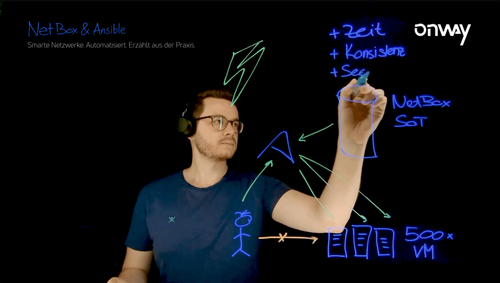
The second part of our blog series "Smart networks. Automated. From the field." is online! In the new video, our Systems Engineer Luca Gubler shows how we use Ansible to automate infrastructure, reduce config drift and respond faster to security topics.
More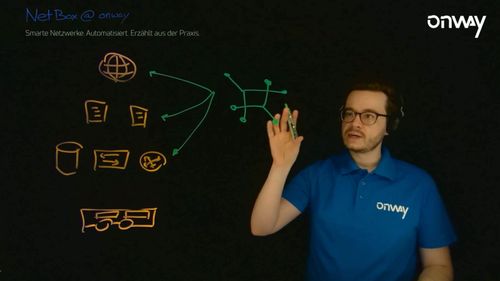 News
News- #automation
NetBox @ onway
The first part of our blog series ‘Smart Networks. Automated. Real-world stories.’ is now online! In the first video, our Systems Engineer Luca Gubler shows how we use NetBox to systematically document and automate network infrastructures.
More- Networks
Network automation
More free capacity thanks to the automation of repetitive network work processes.
More
Would you like to find out more about network automation?
We’d be happy to advise you!
Tim Bütler
Account Manager Enterprise & Industry
Beat Stettler
Managing Director